Origins and cache
The site's Origins and Cache tabs: origins, groups, health checks, origin connections, S3, cache rules and key, PURGE, cache zone, purge and prefetch.
Concepts
| Term | Definition |
|---|---|
| Origin pool | All origins of a site plus load balancing, health check, timeout, and keep-alive settings. One pool per site. |
| Primary / backup origin | Origins without Backup are primaries and receive traffic by the load balancing policy; backups receive traffic only when every primary is down. |
| Origin group | A group label on an origin; empty is the default group. Requests go to the default group unless an Origin override rule sends them to another group. |
| Cache rule | A rule matched in list order that decides whether and for how long a response is cached. |
| Cache key | The request attributes that tell cached objects apart; applies to all cache rules of the site. |
| Cache generation | A per-site counter (API field cacheGeneration) that is part of the cache key. Whole-site purges are node tasks and do not change it. |
| Cache tag | A tag the origin names in the Cache-Tag response header; a purge by tag purges only the cached objects that carry it. |
| Cache zone | The disk directory where a node keeps cached objects, and its index. One setting per cluster; a node can override the size. |
Tabs and cards
The Origins view (/sites/<site ID>/origins) and the Cache view (?tab=cache) of the site page. Each card saves on its own; saving one card keeps unsaved edits in the others.
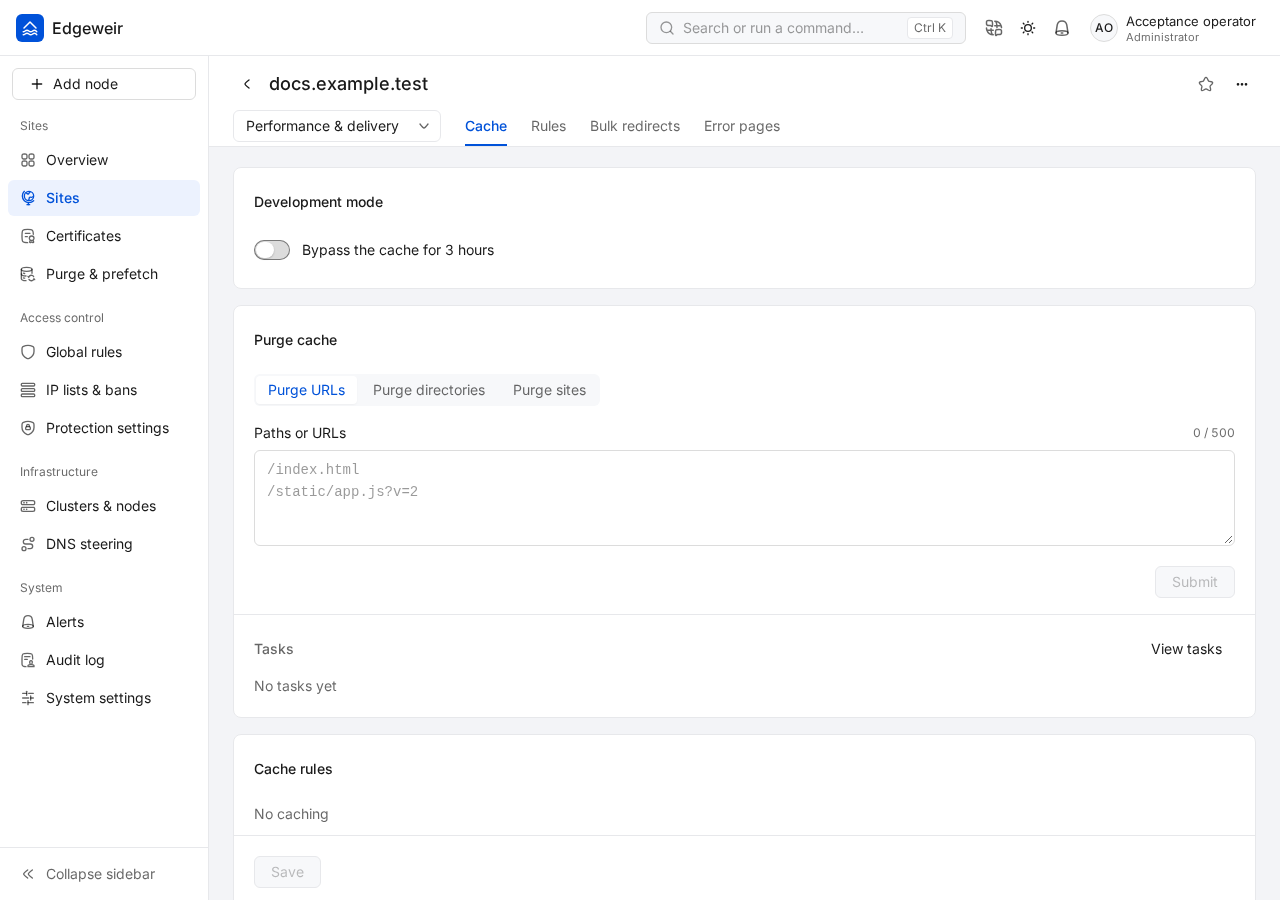
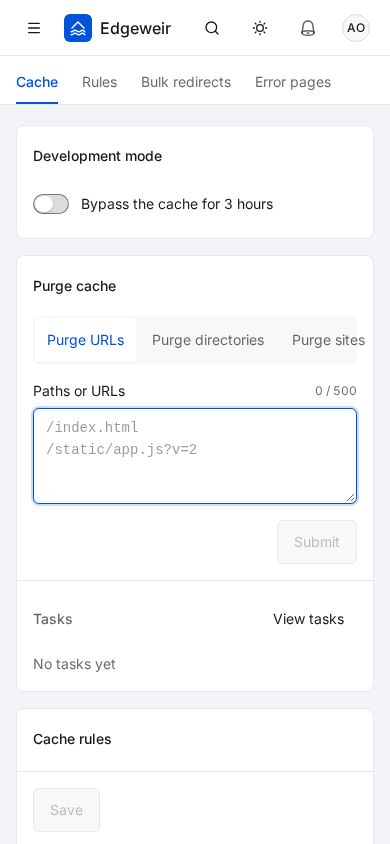
The Cache tab starts with Development mode, Purge cache and Cache rules. The other cards are grouped by purpose and start collapsed. Click a group heading, or focus it with Tab and press Enter / Space, to open or close it:
- Cache behavior: cache key & slicing, Tiered Cache and upper tiers.
- Content optimization: compression, image conversion & savings, Markdown for Agents & response stats.
- Response & purging: PURGE method, Cache-Tag, X-Cache and charset.
Closing a group keeps unsaved edits. Leaving the page or switching tabs still asks before discarding them; open the group to save its cards. Closing a group does not change saved settings or turn features off.
| Tab | Card | Saved with | See |
|---|---|---|---|
| Origins | Traffic path | Read only | Traffic path |
| Origins | Origin quality | Read only | Origin quality |
| Origins | Origins | sites.update (origins) | Origin fields |
| Origins | Pool settings | sites.update (originSettings) | Pool settings |
| Origins | Request body limit | sites.update (contentSettings) | Request body limit |
| Cache | Purge cache | cacheTasks.create; whole-site purge sites.purgeAll | Purge from the site |
| Cache | Cache rules | sites.update (cacheRules) | Configure cache rules |
| Cache | Cache key & slicing | sites.update (cacheSettings) | Cache key and slicing |
| Cache | PURGE method | sites.update (cacheSettings.purgeMethod) | PURGE method |
| Cache | Cache-Tag | sites.update (cacheSettings.keepCacheTag) | Cache-Tag |
| Cache | X-Cache | sites.update (cacheSettings.xCache) | X-Cache |
| Cache | Compression | https.update | Compression |
| Cache | Image format conversion, Saved by conversion | imageConvert.update | Image format conversion |
| Cache | Charset | sites.update (contentSettings.charset) | Charset |
Saving and delivery
| Item | Behavior |
|---|---|
| Publishing | A save publishes a new configuration revision of the site's cluster (reason site_updated); when the compiled configuration is unchanged, no revision is created. Purge and prefetch tasks and the cache zone do not go through this |
| Notification | Saved, with Rolling out {current}/{total} below until every online node of the cluster applied it, then Live on every node; No online nodes when the cluster has none online |
| Audit | site.update; the metadata changed lists the saved parts (origins, originSettings, cacheRules, cacheSettings, contentSettings); a PURGE key is recorded only as changed |
| Node capabilities | Switches and fields that need a node capability are unavailable while an active node of the cluster lacks it, and the card shows "Some nodes in the cluster do not support it" ("Some nodes in the cluster do not support rule extensions" for cache rules); a feature that is on can still be turned off, and saved values can still be changed. A configuration published by a service account or a background job that needs a capability an active node lacks is refused (NODE_CAPABILITY_REQUIRED) |
Configure origins
-
Open Sites, select the site, and open the Origins view.
-
In the Origins card, edit an existing origin or click Add origin.
-
Enter Origin, Port, Protocol, and Weight; set Origin Host, SNI (HTTPS only), and Origin group as needed, choose PROXY protocol, and turn on Backup or S3 signing as needed. A URL such as
https://origin.example.com:8443pasted or typed into Origin fills its scheme and port into their fields. -
Click Save at the bottom of the card.
-
Verify: once the notification shows Live on every node, request the site through a node:
curl -sI -H 'Host: www.example.com' http://<node IP>/The origin's status code comes back; once traffic flows, the origin shows Healthy.
Traffic path
The Traffic path card at the top of the Origins view draws where requests go under the saved configuration.
| Node | Content |
|---|---|
| Visitors | Start |
| Cluster | The name of the site's cluster and "{applied}/{total} applied" (online nodes running the site's latest version / online nodes); its color tells whether the site is live, rolling out, or disabled |
| Origin group | The group name (Default group for the empty one) and the load balancing policy, plus "HTTP/2" when Origin HTTP version is HTTP/2 |
| Origin | Address and scheme:port; backup origins carry Backup |
| Line | Content |
|---|---|
| Group to primary | With several primaries in a group and load balancing other than consistent hash, the weight share |
| Group to backup | Failover |
| Degraded | An origin that nodes report as down is shown as degraded, along with its line; when every online node reports it down, the color is stronger |
Origin health refreshes every 10 seconds.
Origin fields
| Field | API field | Values | Default | Effect |
|---|---|---|---|---|
| Origin | address | Host name or IPv4/IPv6 literal without port or brackets, up to 253 characters | None | Origin target, subject to origin address restrictions |
| Port | port | 1–65535 | HTTP 80, HTTPS 443 | Origin port; switching the protocol changes an empty port or the other protocol's default port to the new protocol's default |
| Protocol | scheme | HTTP / HTTPS | HTTP | Protocol from node to origin |
| Weight | weight | 1–100 | 1 | Weight used by all three load balancing policies |
| Origin Host | hostHeader | Host name or IP, optionally with a port; IPv6 with a port as [2001:db8::1]:8443, without a port without brackets; up to 259 bytes | Empty ("Same as request") | Host sent to the origin. Empty: the visitor's Host (lowercase, port removed); for S3 origins the origin address, with the port unless it is 80 (HTTP) or 443 (HTTPS) |
| SNI | sni | Host name, up to 253 characters, stored in lowercase | Empty ("Same as origin Host") | Shown for HTTPS only. Empty: the origin Host without port, then the origin address; no SNI is sent for an IP literal |
| Origin group | group | 1–32 lowercase letters, digits, _, or - | Empty ("Default group") | See Origin groups |
| PROXY protocol | proxyProtocolVersion | Off / v1 / v2 (API: 0 / 1 / 2) | Off | Every origin connection first sends the addresses of the visitor's connection, see PROXY protocol; unavailable with S3 signing on. With v1 or v2 the card shows "The origin must accept PROXY protocol" |
| Backup | backup | On / off | Off | Makes the origin a backup |
| S3 signing | s3 | On / off (API: an object or null) | Off | Signs origin requests with AWS Signature V4, see S3-compatible object storage |
| Item | Behavior |
|---|---|
| Count | 1–32 origins per site, at least one of them in the default group; the last origin cannot be removed |
| Order | Saved in the card's order |
| Origin ID | An origin whose scheme, address, and port are unchanged keeps its ID on save (and with it its health state and origin quality records); the others are created as new origins |
| Health | Next to each origin's number: Healthy, "Down on {down} of {total} nodes", or No online nodes, with the last error and each node's result below, refreshed every 10 seconds; an origin some nodes report down has a red edge on its left |
Pool settings
The Pool settings card is saved separately. From top to bottom: load balancing, origin HTTP version and three switches, then the groups Origin TLS, Session affinity, Passive health check, Retries, Active health check, Timeouts (seconds), and Keep-alive.
| Field | API field | Values | Default | Effect |
|---|---|---|---|---|
| Load balancing | policy | Weighted random / Round robin / Consistent hash (weighted_random / round_robin / consistent_hash) | Weighted random | Selection among primaries, see Load balancing and retries |
| Origin HTTP version | protocol | HTTP/1.1 / HTTP/2 (http1 / http2) | HTTP/1.1 | HTTP version of the node's requests to the origins, see HTTP/2 and gRPC |
| Verify origin certificates | tlsVerify | On / off | On | Verifies HTTPS origin certificates, see Origin TLS; turning it off sets Trust back to System CAs |
| WebSocket | websocket | On / off | On | Proxies WebSocket upgrades, see WebSocket |
| gRPC | grpc | On / off | Off | Proxies gRPC requests over HTTP/2 end to end; can only be turned on with Origin HTTP version HTTP/2 and turns off when HTTP/1.1 is chosen again. When on, the card shows "gRPC requests skip the OWASP CRS" |
| Origin TLS: Trust | tlsTrust | System CAs / Origin CA (system / originCa) | System CAs | CAs the verification trusts; unavailable with Verify origin certificates off. Origin CA: see Origin protection |
| Origin TLS: Present client certificate | clientCertificate | On / off | Off | Presents the cluster's origin client certificate to the origins, see Origin protection |
| Session affinity: Enabled | sessionAffinity.enabled | On / off | Off | See Session affinity |
| Session affinity: Cookie lifetime (seconds) | sessionAffinity.ttlSeconds | 60–604800 | 3600 | As above |
| Passive health check: Failures before down | maxFails | 1–100 | 3 | Consecutive failures that mark an origin down |
| Passive health check: Retry after (seconds) | recoverySeconds | 1–3600 | 30 | Time before a down origin is tried again |
| Retries: Tries | tries | 1–5 | 3 | Origins a request tries at most |
| Retries: Retry on 502 / 503 / 504 | statusRetry | On / off | On | Off, an origin's 502/503/504 response goes to the visitor; connection failures and timeouts are still retried |
| Active health check | activeHealthCheck | See Active health check | Off | |
| Timeouts (seconds): Connect | connectTimeoutMs | 0.1–120 (API: 100–120000 ms) | 10 | Connection timeout |
| Timeouts (seconds): Send | sendTimeoutMs | 0.1–3600 (API: 100–3600000 ms) | 60 | Timeout for sending the request to the origin |
| Timeouts (seconds): Read | readTimeoutMs | 0.1–3600 (API: 100–3600000 ms) | 60 | Timeout between two reads of the response; does not apply to upgraded WebSocket connections |
| Keep-alive: Enabled | keepalive | On / off | On | Reuses origin connections |
| Keep-alive: Idle timeout (seconds) | keepaliveIdleSeconds | 1–3600 | 60 | How long idle connections stay open; unavailable with keep-alive off |
| Keep-alive: Max requests | keepaliveMaxRequests | 1–100000 | 1000 | Requests per connection; unavailable with keep-alive off |
| Field | Node capability |
|---|---|
| Origin HTTP version HTTP/2, gRPC | origin-http2-v1 |
| Trust Origin CA | origin-ca-v1 |
| Present client certificate | origin-mtls-v1 |
| Session affinity | session-affinity-v1 |
| Active health check | active-health-v1; gRPC probes also active-health-grpc-v1 |
| Tries other than 3, or Retry on 502 / 503 / 504 off | site-content-v1 |
Rules of the configuration phase can override the three timeouts and WebSocket per request, see Override settings.
Load balancing and retries
| Policy | Behavior |
|---|---|
| Weighted random | Random pick by weight; retries take untried origins in weighted order |
| Round robin | Smooth weighted round robin (the nginx algorithm), counted per worker |
| Consistent hash | Hashes the raw request URI (path plus query) so a URI sticks to one origin; when an origin is down, only its URIs move |
| Item | Behavior |
|---|---|
| Attempts | At most Tries origins per request (default 3) |
| Retry triggers | Connection failure, timeout (including a failed TLS handshake); with Retry on 502 / 503 / 504 on, also an origin response 502/503/504 |
| No retry | POST, LOCK, and PATCH requests are not retried once sent; PUT and DELETE are retried |
| Retry scope | Only within the currently usable group: healthy primaries while any exist; backups when every primary is down; never switches between HTTP and HTTPS origins within one request |
| Exclusion | Origins whose name fails to resolve, resolves only to special-purpose addresses, or lacks S3 credentials are dropped before the attempt, so fewer than Tries attempts can happen |
Passive health check
No probe requests are sent; health is judged from real traffic only. With the active health check on, both are merged, see Merge rule.
| Item | Behavior |
|---|---|
| Counted as failure | Connection failure, timeout, origin response 502/503/504 (also without status retries), DNS resolution failure, only special-purpose addresses in the DNS answer, missing S3 credentials, missing CA file on the node for a verified origin |
| Reset | Any other response resets the failure count |
| Down | After Failures before down consecutive failures, the origin is not selected for Retry after (seconds) |
| Recovery | After that period the origin receives traffic again; one success marks it healthy, one more failure marks it down again immediately |
| Fail open | When every origin is down, the node still tries primaries, then backups |
| Scope | Health state is shared by all workers of one node; each node decides on its own |
| Reporting | Nodes report with their heartbeat (every 15 seconds by default); the Origins card shows "Down on {down} of {total} nodes" and the last error, and each node's result names its source, Passive or Active |
| Error code | UI text |
|---|---|
connect_failed | Cannot connect to the origin |
timeout | The origin timed out |
upstream_status | The origin answered HTTP {status} (passive check: only when the origin itself returned 502/503/504; active check: a status outside the expected range) |
dns_failed | Cannot resolve {host} |
address_forbidden | {address} is a special-purpose address outside the origin allow list |
tls_failed | TLS handshake or certificate verification failed |
grpc_status | The gRPC health check ended with gRPC status {status} (active gRPC check; 5 means the origin has no such service) |
grpc_not_serving | The gRPC health check answered {status} (active gRPC check; NOT_SERVING, UNKNOWN, and so on) |
Error codes need node proto v0.2.1 or later; other errors and older nodes show the node's own text.
Active health check
- On the Origins view, in the Pool settings card, turn on Enabled under Active health check.
- Choose the Probe: for HTTP enter the Path and choose the Method; for gRPC fill in the gRPC service as needed. Change other fields as needed.
- Click Save at the bottom of the card.
- Verify: make one origin's check path answer a status outside the expected range (gRPC: make the service report
NOT_SERVING); after about Interval (seconds) × Unhealthy threshold seconds the origin shows "Down on {down} of {total} nodes", the node results say Active, and requests stop going to it.
| Field | API field (activeHealthCheck.) | Values | Default | Effect |
|---|---|---|---|---|
| Enabled | enabled | On / off | Off | Values stay saved while off |
| Probe | type | HTTP / gRPC (http / grpc) | HTTP | gRPC calls the origin's grpc.health.v1.Health/Check, see gRPC probes |
| gRPC service | grpcService | 0–255 printable ASCII characters without spaces | Empty ("Whole server") | gRPC only: the service name in the Check request |
| Method | method | GET / HEAD | GET | HTTP only: method of the probe |
| Path | path | Starts with /, may carry a query, 1–1024 printable ASCII characters without spaces | / | HTTP only: path of the probe |
| Host | host | Host name, up to 253 characters | Empty ("Same as origin Host") | Host of the probe; empty uses the origin's Origin Host, then its address |
| Lowest status / Highest status | expectedStatusMin / expectedStatusMax | 100–599, lowest not above highest | 200 / 399 | HTTP only: a status in the range is a success |
| Interval (seconds) | intervalSeconds | 5–300 | 30 | Time between two probes of an origin |
| Timeout (seconds) | timeoutSeconds | 1–60, not above the interval | 5 | Time limit of one probe; a timeout is a failure |
| Healthy threshold | healthyThreshold | 1–10 | 2 | Consecutive successes that make an origin healthy again |
| Unhealthy threshold | unhealthyThreshold | 1–10 | 3 | Consecutive failures that mark an origin unhealthy |
| Item | Behavior |
|---|---|
| Who probes | The agent of every node probes every origin of the site; probe traffic grows with the number of nodes, so keep the interval reasonable |
| Address policy | As for origin requests: special-purpose addresses outside the allow list are dropped from DNS answers and only checked addresses are dialed; without a usable address the probe fails (dns_failed, address_forbidden) |
| Request | Scheme and port of the origin; HTTPS sends SNI (the origin's SNI, Origin Host or address) and verifies the certificate while Verify origin certificates is on; HTTP/2 when Origin HTTP version is HTTP/2; redirects are not followed; at most 64 KiB of the body is read |
| Failure | Connection failure, timeout, TLS failure, status outside the range; same error codes as the passive check |
| PROXY protocol | When the origin expects PROXY protocol, probe connections first send PROXY UNKNOWN (v1) or the LOCAL command (v2), without a visitor address |
| Initial state | Healthy; the first probe after a node start or a configuration change starts at a random point within one interval |
| Not probed | S3-compatible origins (an unsigned probe says nothing about signed requests) and origins whose address literal is forbidden |
| Node stops probing | The data plane's "actively down" marks expire after 3 × the longest interval (at least 90 seconds), back to the passive check only |
| Reporting | Origins that are unhealthy or have consecutive failures are reported with the heartbeat, source Active; the "Origin unavailable" alert uses both sources |
| Node requirement | Node feature active-health-v1; while an active node of the cluster lacks it, Enabled is unavailable ("Some nodes in the cluster do not support it") |
gRPC probes
| Item | Behavior |
|---|---|
| Request | POST /grpc.health.v1.Health/Check with a HealthCheckRequest body (an empty gRPC service asks about the whole server); Host, HTTPS SNI, and certificate verification as for HTTP probes |
| Protocol | Always HTTP/2, whatever the Origin HTTP version: h2c (prior knowledge) to HTTP origins, ALPN h2 to HTTPS origins; an origin that does not negotiate h2 fails the probe |
| Success | HTTP 200, grpc-status 0, and the answer SERVING |
| Failure | Connection failure, timeout, TLS failure; an HTTP status other than 200 (upstream_status); a non-zero grpc-status (grpc_status, 5 when the origin has no such service); an answer other than SERVING (grpc_not_serving) |
| Thresholds and reporting | Interval, timeout, thresholds, merge rules, and reporting as for HTTP probes; Path, Method, Lowest status, and Highest status are hidden, their saved values kept but not used |
| Node requirement | Node feature active-health-grpc-v1 (besides active-health-v1); while an active node of the cluster lacks it, Probe cannot be set to gRPC |
Merge rule
| Active check | Passive check | Result |
|---|---|---|
| Off | Any | As without an active check |
| Unhealthy | Any | Not selected |
| Healthy | Marked down | Not selected until the passive check's recovery time ends |
| Healthy | Up | Selected |
When every origin is down, the node still tries primaries, then backups (fail open).
Origin quality
The Origin quality card on the Origins view shows how each origin answered over the selected range. The numbers come from counters the nodes report every minute, so the access log sample rate does not affect them. Without fetches in the range the card shows No origin fetches.
| Column / item | Meaning |
|---|---|
| Origin | The address; backup origins carry Backup, origins outside the default group their group name |
| Fetches | Every attempt sent to the origin; a retry counts again. Cache-lock, background update and prefetch fetches count; cache hits and active health checks do not |
| Error rate | (no connection + timeout + TLS failed + invalid answer + 5xx) ÷ fetches; hovering the rate shows "No connection {connect} · timeout {timeout} · TLS failed {tls} · invalid answer {invalid} · 5xx {server}". No connection, timeout and TLS failed are judged as in the passive health check; an invalid answer is one that is no HTTP/1.x response; 5xx includes 500 |
| p50 time / p95 time | Time from the attempt to the response header for attempts the origin answered (body transfer not included). Nodes count in buckets of 10, 25, 50, 100, 250 and 500 ms and 1, 2.5, 5 and 10 s; percentiles are interpolated inside a bucket, and anything above 10 s shows as "> 10 s" |
| Lines | p95 time to first byte and Error rate: each origin over time; periods without fetches have no point |
| Range | Last hour, Last 6 hours, Last 24 hours (default), Last 7 days, Last 30 days, shared with the Analytics view (URL parameter range); 7 and 30 days read the hourly rollups. An origin removed and added again starts a new record |
| Partial | While an active node of the cluster lacks the node capability origin-stats-v1 (nodes before 1.4.0), the card shows "Some nodes in the cluster are too old to report origin fetches" and the numbers cover the reporting nodes only |
Session affinity
- In the Pool settings card, turn on Enabled under Session affinity and change Cookie lifetime (seconds) as needed.
- Click Save.
- Verify: the first response from the origin carries
Set-Cookie: __ew_affinity=…; later requests with that cookie go to the same origin.
| Item | Behavior |
|---|---|
| Cookie | __ew_affinity, Path=/; HttpOnly; SameSite=Lax, plus Secure over HTTPS; the value holds the origin ID, the expiry and the signature; Max-Age is Cookie lifetime (seconds) |
| Signature | HMAC-SHA256 with the cluster's challenge keys (the keys of challenge passes), so any node of the cluster verifies it; after a key rotation the previous key still verifies |
| Issued | Only on responses from the origin (never on cache hits); not issued again while a valid cookie has more than half its lifetime left |
| Reselection | When the pinned origin is down (active or passive check), deleted, or outside the tier taking traffic (a backup while primaries are healthy), the node picks another origin by the load balancing policy and issues a new cookie; tampered or expired cookies are handled the same way |
| Retries | When the pinned origin fails during a request, the retry rules still move it to another origin, and the response pins the origin that answered |
| While off | Cookie lifetime (seconds) stays saved |
| Node requirement | Node features session-affinity-v1 and challenge-v1; while an active node of the cluster lacks them, Enabled is unavailable |
Origin TLS
| Item | Behavior |
|---|---|
| Certificate verification | With Verify origin certificates on, the node verifies HTTPS origin certificates against a CA file; the certificate must cover the SNI of the attempt, and a retry on another origin uses that origin's SNI |
| CA file | The first existing file of /etc/ssl/certs/ca-certificates.crt, /etc/pki/tls/certs/ca-bundle.crt, /etc/ssl/ca-bundle.pem, /etc/ssl/cert.pem; a node can set --trusted-ca <absolute path> |
| IP origins | HTTPS origins configured by IP need an SNI or Origin Host that the certificate covers |
| Verification off | Affects only that site; unverified HTTPS connections are not pooled |
| Origin CA | With Trust Origin CA, only the console's Origin CA is trusted and certificates it revoked are refused; the node's CA file plays no part. Needs Verify origin certificates on (ORIGIN_TLS_TRUST_REQUIRES_VERIFY), no S3 origin on the site (ORIGIN_CA_S3), and an existing Origin CA (ORIGIN_CA_NOT_FOUND) |
| Client certificate | With Present client certificate on, the cluster's certificate is presented to HTTPS origins that ask for one (not to S3 origins), over HTTP/1.1, HTTP/2 and gRPC and by the active health checks. Needs an existing origin client CA (ORIGIN_CLIENT_CA_NOT_FOUND); a cluster without a current certificate gets one on save |
| Connection pool | Keyed by origin IP, port, SNI, trust, and client certificate; verified connections are never reused for requests that verify another name, trust other CAs or present another certificate |
WebSocket
WebSocket upgrades (Upgrade: websocket) are proxied by default and never cached. With WebSocket off, upgrade requests get 403 with X-Edgeweir-Error: websocket-disabled.
An upgraded connection closes after 3600 seconds idle (the idle timeout of the site's Access control tab, 60–86400 seconds); the site's Send and Read timeouts do not apply to it. The Origin send timeout and Origin read timeout of configuration-phase rules take precedence, see Override settings. To accept upgrades from some origins only, see WebSocket origins.
HTTP/2 and gRPC
-
In the Pool settings card of the Origins view, set Origin HTTP version to HTTP/2; to proxy gRPC, also turn on gRPC.
-
Click Save at the bottom of the card.
-
Verify: once the notification shows Live on every node, the origin's access log shows HTTP/2 requests. A gRPC site can be called through a node, for example:
grpcurl -authority grpc.example.com <node IP>:443 list
| Item | Behavior |
|---|---|
| Negotiation | HTTPS origins negotiate h2 over TLS ALPN; HTTP origins get HTTP/2 with prior knowledge (h2c). An origin without HTTP/2 fails the attempt; there is no fallback to HTTP/1.1 |
| Origin Host | Sent as the host header field, without :authority |
| Cache and rules | As with HTTP/1.1: edge caching, origin rules, timeouts and retries apply |
| WebSocket | Upgrades still go to the origin over HTTP/1.1; an origin that speaks HTTP/2 only cannot serve WebSocket |
| Connection pools | HTTP/1.1, HTTP/2 and gRPC connections to origins are reused separately, never mixed |
| Active health check | HTTP probes go over HTTP/2; an HTTPS origin that does not negotiate h2 fails the probe. gRPC services often answer plain requests with 415: set the Probe to gRPC, see gRPC probes |
| Node requirement | Node feature origin-http2-v1; while an active node of the cluster lacks it, Origin HTTP version and gRPC are unavailable ("Some nodes in the cluster do not support it") |
With gRPC on, requests with Content-Type: application/grpc (also with a suffix such as +proto or +json, or parameters) go over HTTP/2 end to end:
| Item | Behavior |
|---|---|
| Client connection | gRPC clients must connect to the node over HTTP/2: HTTPS ports enable HTTP/2 for the site's domains (also when the HTTPS view turns HTTP/2 off); while a site of the cluster proxies gRPC, HTTP ports also take h2c, and the domains of sites without gRPC answer h2c requests with 421 |
| Streaming | Requests and responses are passed on frame by frame both ways, trailers (grpc-status, grpc-message) as they are; client and bidirectional streaming work |
| Cache and compression | Never cached; the node compresses nothing |
| Request body | No size limit |
| OWASP CRS | Does not inspect gRPC requests: ModSecurity reads a request's whole body before passing it on, which a streaming call never finishes. Clients choose Content-Type, so the site's other endpoints can skip the CRS with it too; where the origin does not keep its gRPC endpoints apart, put gRPC on a site of its own |
| Rules and protection | Bans, rules and rate limits apply; gRPC clients cannot solve challenges, so exempt gRPC paths with an Allow rule where needed |
| Timeouts | The Read timeout bounds the time between two receipts of data; streams that stay quiet longer need a longer Read timeout (up to 3600 seconds) or a config rule for their paths |
| gRPC-Web | application/grpc-web is not a gRPC request; it is proxied like any HTTP request |
PROXY protocol
When an origin needs the visitor's address but does not read X-Real-IP or X-Forwarded-For (HAProxy, nginx with proxy_protocol, mail or other services that log addresses per connection), the nodes send a PROXY protocol header at the start of every origin connection.
- In the Origins card, set the origin's PROXY protocol to v1 or v2, the version the origin accepts.
- Click Save at the bottom of the card.
- Verify: once the notification shows Live on every node, request the site through a node; the origin logs the visitor's address as the client and the node address and port the visitor connected to as the destination.
| Item | Behavior |
|---|---|
| Addresses | Source address and port of the visitor's connection (per the cluster's Client IP, the same as X-Real-IP); destination is the node address and port the visitor connected to (with PROXY protocol in front of the node, the destination in that header). Without IP addresses PROXY UNKNOWN (v1) or the LOCAL command (v2) is sent |
| When | Once per new origin connection, before the TLS handshake and the request; HTTP/1.1, HTTP/2, gRPC, and WebSocket all send it |
| Connection reuse | An origin connection is reused only by requests on the same visitor connection, and each nginx worker has its own pool: requests of one visitor connection may be handled by different workers, each opening at most one origin connection for it. More visitor connections mean more origin connections |
| Write failure | Counted as a connection failure (connect_failed) and retried on another origin per the retry rules; origin quality counts as usual |
| Active health check | Probe connections send PROXY UNKNOWN (v1) or the LOCAL command (v2) |
| Per origin | Each origin has its own setting; origins of one group may differ |
| S3 origins | Not available (ORIGIN_PROXY_PROTOCOL_S3, "S3 origins do not read PROXY protocol") |
| Origin does not expect it | The origin reads the header as part of the request and usually answers 400 or closes the connection |
| Node requirement | Node feature origin-proxy-protocol-v1 (edgeweir-openresty 1.31.1.1-3 or later); while an active node of the cluster lacks it, origins with PROXY protocol off cannot be set to v1 or v2 ("Some nodes in the cluster do not support it") |
For L4 apps' PROXY protocol see L4.
Origin groups
Origin group splits a site's origins into groups; empty is the default group. Requests that match no Origin override rule go to the default group only.
- In the Origins card, enter an Origin group for an origin, for example
api, and click Save. Keep at least one origin in the default group; otherwise the card shows "Keep at least one origin in the default group" and cannot be saved. - On the Rules view, click Add rule in the Origin phase and enter an expression such as
starts_with(http.request.uri.path, "/api/"); select the Origin override action, pickapias Origin group, set Origin Host, SNI, and Port as needed, turn on Enabled (a new rule starts disabled), and click Save. Fields: Action fields. - Verify: requests below
/api/reach the origins of theapigroup in their logs; other paths still reach the default group.
| Item | Behavior |
|---|---|
| Selection within the group | Load balancing, primaries and backups, retries, health checks, and session affinity all stay within the chosen group; round robin state and the consistent hash are kept per group |
| Overrides | The rule's Port applies to every origin of the group; Origin Host and SNI replace the origin's own settings, and Origin Host does not affect S3 origins; an empty SNI still follows the origin Host |
| Cache key | The origin group is not part of it. When a group is chosen by something outside the cache key (a request header, for example), responses of different groups share cached objects |
| References | Rules can pick only groups the site has; removing a group a rule still picks fails with "Invalid rule" (RULE_INVALID) |
| Global rules | An Origin override in the global rules cannot pick an origin group; it overrides only the origin Host, SNI, and port |
| Node requirement | rules-v2; while an active node of the cluster lacks it, the Origins card shows "Some nodes in the cluster do not support it" and origins in the default group cannot leave it; existing origin groups can still be changed or cleared |
Request body limit
The Request body limit card on the site's Origins view is saved separately.
| Field | API field | Values | Default | Effect |
|---|---|---|---|---|
| Limit (MiB) | contentSettings.requestBodyLimit (bytes) | 0–10240, decimals allowed (API: 0–10737418240) | 100 (API: 104857600) | Requests whose body exceeds it get 413; 0 means no limit |
| Item | Behavior |
|---|---|
| Check | By Content-Length when the request has one; a body without it (chunked HTTP/1.1 uploads, HTTP/2 and HTTP/3 requests without Content-Length) is read by the node first and checked by its size. Both after the rules; the 413 carries X-Edgeweir-Error: body-too-large and its page is looked up as 413 → Other 4xx → built-in page, see Error pages |
| Reading bound | The node reads a body up to the node-wide limit: the largest limit of all enabled sites and rules of the cluster (none when any is 0); past it the answer is 413 as well |
| Node version | Checking bodies without Content-Length against the site's limit needs nodes 1.1.0 or later; earlier nodes bound them by the node-wide limit only |
| Per request | Body limit (MiB) of a configuration rule overrides the site's limit, see Override settings |
| gRPC | Not checked |
| Node requirement | Another value than 100 MiB needs the node capability site-content-v1; while an active node of the cluster lacks it and the limit is 100 MiB, the card is unavailable |
The limit of request bodies the rules read (contentSettings.rulesBodyLimit) is set on the Rules view, see Rules.
Origin address restrictions
Origins cannot point at special-purpose addresses.
| Category | Ranges |
|---|---|
| IPv4 | 0.0.0.0/8, 10.0.0.0/8, 100.64.0.0/10, 127.0.0.0/8, 169.254.0.0/16, 172.16.0.0/12, 192.0.0.0/24, 192.0.2.0/24, 192.168.0.0/16, 198.18.0.0/15, 198.51.100.0/24, 203.0.113.0/24, 224.0.0.0/4, 240.0.0.0/4 |
| IPv6 | ::/128, ::1/128, 100::/64, 2001:db8::/32, fc00::/7, fe80::/10, ff00::/8; IPv4-mapped (::ffff:0:0/96) and NAT64 (64:ff9b::/96) addresses are judged by the embedded IPv4 address |
| Host names | localhost and *.localhost are always refused; names whose last label is numeric, such as 127.1, 2130706433, or 0x7f000001, are not valid addresses |
| Checkpoint | Behavior |
|---|---|
| Console save | IP literals in these ranges are refused (ORIGIN_ADDRESS_FORBIDDEN) |
| Node | Applies the same list to configured addresses and to every DNS answer; special-purpose addresses in an answer are dropped, and when all are dropped the attempt fails with address_forbidden |
| Allow list | Ranges are allowed in System settings → Origin allow list; saving publishes to every cluster, see Origin allow list; localhost cannot be allowed |
| Loop detection | Nodes send CDN-Loop (RFC 8586) to origins; a request that already carries the node's identifier gets 508 (X-Edgeweir-Error: loop-detected) |
S3-compatible object storage
Turn on S3 signing on an origin and fill in these fields. Preset fills the provider's origin address template and an example region; replace the parts in angle brackets such as <region> with your own values. A preset only fills the form and is not saved.
| Field | API field (s3.) | Values | Default | Effect |
|---|---|---|---|---|
| Preset | None | Custom / a provider below | Custom | Fills the origin address and region |
| Region | region | Letters, digits, and -, starting with a letter or digit, up to 64 characters, stored in lowercase | None | SigV4 signing region, for example us-east-1 |
| Bucket | bucket | 3–63 lowercase letters, digits, ., and -, starting and ending with a letter or digit | Empty ("Optional") | When set, path-style addressing /<bucket>/<key>; leave empty when the origin address already names the bucket (such as assets.s3.us-east-1.amazonaws.com) |
| Access key ID | accessKeyId | 1–128 characters | None | Access key ID |
| Secret key | secretAccessKey | 1–256 characters | None | Write-only; shows "Stored, leave empty to keep" when one is stored for the same access key ID. A new access key ID needs it (S3_SECRET_REQUIRED) |
| Item | Behavior |
|---|---|
| Signing | AWS Signature V4 with an unsigned payload (UNSIGNED-PAYLOAD); the visitor's x-amz-* headers are removed |
| Methods | Only GET and HEAD are forwarded; other methods get 405 (Allow: GET, HEAD, X-Edgeweir-Error: method-not-allowed) when no non-S3 origin can take them |
| Query string | The visitor's query string is not forwarded to object storage |
| Secret storage | One secret key per site and access key ID, envelope-encrypted with the master key; secrets no origin uses any more are deleted on save. Sent only over the node channel (mTLS) and kept in the node state directory's credentials.json (0600) so the node can restart while the console is unreachable |
| Not available | PROXY protocol (ORIGIN_PROXY_PROTOCOL_S3); Trust Origin CA (ORIGIN_CA_S3); no origin client certificate is presented; no active health check |
| Preset | Origin address | Example region | Bucket |
|---|---|---|---|
| AWS S3 | s3.<region>.amazonaws.com | us-east-1 | Set (path style) |
| Cloudflare R2 | <account_id>.r2.cloudflarestorage.com | auto | Set |
| Backblaze B2 | s3.<region>.backblazeb2.com | us-west-004 | Set |
| MinIO | <host>, keeps the current scheme and port | us-east-1 | Set |
| Alibaba Cloud OSS | <bucket>.s3.oss-<region>.aliyuncs.com | cn-hangzhou | Empty (the address names the bucket; cleared on selection) |
| Tencent Cloud COS | <bucket>-<appid>.cos.<region>.myqcloud.com | ap-guangzhou | Empty (the address names the bucket; cleared on selection) |
| Baidu AI Cloud BOS | s3.<region>.bcebos.com | bj | Set |
| Qiniu Kodo | s3.<region>.qiniucs.com | cn-east-1 | Set |
Every preset but MinIO switches the scheme to HTTPS and the port to 443. Only services whose official documentation states S3-compatible AWS Signature V4 are listed; Huawei Cloud OBS documents only its own signature and is not listed, though it can still be entered as Custom.
Configure cache rules
-
Open Sites, select the site, and open the Cache view.
-
In the Cache rules card, click Add rule; or click Static assets to add the static assets template (see the table below).
-
In Builder, enter Path prefix and Extensions; or switch to Advanced and enter the condition in Expression, see Request conditions.
-
Select Action, enter TTL (seconds), and set Browser TTL (s) as needed; turn off Respect origin only for static assets.
-
For more conditions, click More (its number counts the filled-in fields) and fill in Exact paths (builder only), Status codes, Min size (KB), Max size (KB), Stale while revalidate (s), Stale if error (s), or turn on Cache requests with Authorization or Cache responses with Set-Cookie.
-
Drag the handle on the left of a rule to reorder.
-
Click Save.
-
Verify: request the same URL twice; the second response is a cache hit:
curl -sI -H 'Host: www.example.com' http://<node IP>/static/app.js | grep -i x-cacheThe second run prints
X-Cache: HIT.
| Template | Path prefix | Extensions | TTL (seconds) | Respect origin |
|---|---|---|---|---|
| Add rule | / | Empty | 3600 | On |
| Static assets | Empty | css, js, mjs, map, png, jpg, jpeg, gif, webp, avif, svg, ico, woff, woff2, ttf, otf, eot, mp4, webm, mp3, ogg, wav, pdf | 2592000 (30 days) | Off |
Rule fields
| Field | API field | Values | Default | Effect |
|---|---|---|---|---|
| Condition type | None | Builder / Advanced | Builder | See Request conditions |
| Path prefix | pathPrefixes | Starts with /, no whitespace, up to 1024 characters; comma-separated, up to 32 | / | Builder: the request path starts with one of them |
| Extensions | extensions | 1–16 lowercase letters or digits (a leading . is removed), comma-separated, up to 64 | Empty | Builder: the request path's extension is one of them, for example css, js, png |
| Expression | expression | A condition of the cache phase, up to 16384 characters | true | Advanced: the request condition |
| Action | action | Cache / Bypass (cache / bypass) | Cache | Cache or bypass on match; with Bypass, TTL, browser TTL, Respect origin, and the stale fields are unavailable |
| TTL (seconds) | edgeTtlSeconds | 0–31536000 | 3600 | The rule's cache lifetime |
| Browser TTL (s) | browserTtlSeconds | 0–31536000 | Empty ("Origin's", API 0) | See Browser TTL |
| Respect origin | originCacheControl | On / off (respect / override) | On | On: follow origin Cache-Control / Expires; off: override origin cache headers |
| Exact paths | paths | Start with /, up to 32 | Empty | Builder: the request path equals one of them |
| Status codes | statusCodes | 100–599, up to 16 | Empty | Empty: only the default cacheable status codes |
| Min size (KB) / Max size (KB) | minSizeBytes / maxSizeBytes (bytes) | 0 or more; max not below min | Empty ("No limit", API 0) | Response size range; 1 KB is 1024 bytes |
| Stale while revalidate (s) | staleWhileRevalidateSeconds | 0–2592000 | Empty ("Off") | stale-while-revalidate |
| Stale if error (s) | staleIfErrorSeconds | 0–2592000 | Empty ("Off") | stale-if-error |
| Cache requests with Authorization | cacheAuthorized | On / off | Off | Allows caching requests with Authorization, see Authorization |
| Cache responses with Set-Cookie | cacheSetCookie | On / off | Off | Allows caching responses with Set-Cookie, see Set-Cookie |
Each site has at most 64 rules. Without rules the card shows No caching and the site caches nothing. Before saving, the card checks every rule's fields and names the first problem as "Rule {index}: {problem}".
Matching
| Item | Behavior |
|---|---|
| Order | Rules match in list order; the first applicable rule decides caching, TTL, and browser TTL; without an applicable rule nothing is cached |
priority in the API | 0–10000, matched in ascending order, unique within a site (CACHE_RULE_PRIORITY_DUPLICATE); omitted, it is 10, 20, 30 … by list position; the console rewrites it by list position on save |
| Request condition | One expression, evaluated on the client's original request: the normalized path before rule rewrites, as for the cache key and purges |
| Response conditions | Status code, response size. When request conditions match but response conditions do not, later rules are evaluated |
| Response size | From Content-Length; for 206 responses the full size in Content-Range; an unknown size fails size conditions |
| Rule IDs | A rule saved with unchanged content keeps its ID; saving unchanged rules publishes nothing |
Request conditions
The request condition is an expression of the cache phase, with the fields, functions, and IP list references of rule expressions; response fields, regex_replace, and wildcard_replace are not available. true matches every request.
| Condition type | Behavior |
|---|---|
| Builder | Path prefix, Extensions, and Exact paths build the expression: any entry within one condition type may match, all condition types must match, and empty conditions do not restrict. For example, the prefixes /static/, /img/ and extensions css, js build (starts_with(http.request.uri.path, "/static/") or starts_with(http.request.uri.path, "/img/")) and http.request.uri.path.extension in {"css" "js"} |
| Advanced | Write the condition in Expression, for example starts_with(http.request.uri.path, "/static/") and not ends_with(http.request.uri.path, ".html"); Save stays disabled while an expression is invalid |
| Switching | Expressions in the builder's shape switch between both types; other expressions can be edited only in Advanced (Builder is unavailable) |
| API | With an empty expression, the condition is built from pathPrefixes, paths, and extensions; given together, the three lists must equal the expression's builder form. sites.get returns expression, plus the three lists for rules in the builder's shape |
| Nodes | Conditions in the builder's shape (also when written in Advanced) are sent as the former structured conditions, so older nodes run them as before; other expressions need the node capability rules-v2, and while an active node of the cluster lacks it, builder rules cannot switch to Advanced |
| Upgrade | Cache rules saved before the upgrade were rewritten as equivalent builder expressions; they match exactly as before |
Browser TTL
With Browser TTL (s) above 0, responses the rule caches reach visitors with Cache-Control: max-age=N.
| Item | Behavior |
|---|---|
| When | The rule that decides the response (as for the TTL) caches it: override mode with a TTL above 0, or respect mode with an origin Cache-Control without no-store, no-cache, or private |
| Effect | The Cache-Control visitors receive becomes max-age=N, on cache hits too; the edge cache keeps using the TTL |
| Otherwise | Visitors receive the origin's Cache-Control |
| Response transform | Response transform rules can still change Cache-Control |
| Node requirement | rules-v2; while an active node of the cluster lacks it, it cannot be newly set ("Some nodes in the cluster do not support rule extensions"); a value already set can still be changed or cleared |
TTL
| Mode | Behavior |
|---|---|
| Override (Respect origin off) | Uses the rule TTL and ignores origin Cache-Control and Expires (including no-store and private); without status codes only 200, 203, 206, 300, 301, and 308 are cached. Use it only for static assets without user data, or pages of signed-in users reach other visitors |
| Respect (Respect origin on) | Follows origin Cache-Control or Expires when present; the rule TTL applies only when neither is sent; a Cache-Control without a lifetime (for example only public) is not cached; no-store and private apply |
| Always | Responses with Set-Cookie are not cached unless the rule has Cache responses with Set-Cookie on |
Authorization
Requests with Authorization bypass the cache by default, and their responses are not stored (RFC 9111 §3.5), even when the origin sends public or the rule overrides origin headers. With Cache requests with Authorization on, the rule caches them and every visitor holding any credential shares the same cached copy; use it only for content that does not depend on the credential.
Set-Cookie
With Cache responses with Set-Cookie on, a rule caches responses that carry Set-Cookie.
| Item | Behavior |
|---|---|
| Who gets the cookies | Only the response fetched from the origin for this request (X-Cache MISS, EXPIRED, BYPASS) carries Set-Cookie, every line restored as sent; HIT, STALE, UPDATING, and REVALIDATED responses carry no Set-Cookie, so no visitor gets another visitor's cookies |
| Cached object | The object on the node's disk keeps the fetched Set-Cookie lines (only to restore them for that request) until it is purged or evicted |
| Suitable content | Pages whose body is the same for every visitor and that only mark the session with a cookie; when the body depends on cookies, add those cookies to the cache key |
| Node requirement | site-content-v1; while an active node of the cluster lacks it, the switch can only be turned off |
Stale content
| Field | Behavior |
|---|---|
| Stale while revalidate (s) | For this long after expiry, the stale object is served while it is refreshed in the background |
| Stale if error (s) | For this long after expiry, the stale object is served when the origin fails to connect, times out, or returns 5xx |
Both have no effect when the TTL is 0. Visitors receive the origin's original Cache-Control, and none when the origin sent none, unless a browser TTL is set.
Cache key and slicing
The Cache key & slicing card is saved separately and applies to all rules of the site.
| Field | API field | Values | Default | Effect |
|---|---|---|---|---|
| Query string | cacheKey.query | All parameters / Ignore / Only listed / All but listed (all / ignore / include / exclude) | All parameters | How the query string enters the key |
| Parameters | cacheKey.queryParams | Parameter names (1–128 characters without whitespace, &, =, or #), comma-separated, up to 32; required with Only listed and All but listed | Empty | Parameters kept by Only listed or left out by All but listed, where a name may end in * to match a prefix (utm_*) |
| Sort parameters | cacheKey.sortQuery | On / off | Off | Makes ?a=1&b=2 and ?b=2&a=1 hit the same object; unavailable with Ignore |
| Headers | cacheKey.headers | Header names (RFC 7230 tokens, 1–64 characters, stored in lowercase), comma-separated, up to 8, not Cookie or Host | Empty | Different values are cached separately |
| Cookies | cacheKey.cookies | Cookie names (RFC 7230 tokens, 1–64 characters), comma-separated, up to 8 | Empty | Different values are cached separately. Names are case-sensitive; a request where such a cookie appears twice, in another case, percent-encoded, or after a comma is not cached (the origin may read another value) |
| Separate mobile and desktop | cacheKey.deviceType | On / off | Off | Splits mobile (including tablets) and desktop user agents |
| Include Host | cacheKey.includeHost | On / off | On | Off: all domains of the site share cached objects |
| Range slicing | rangeSlice | On / off | Off | Cacheable GET/HEAD requests are fetched and cached in 1 MiB slices, so Range requests need only the slices they cover; the origin must support Range (206). Off: a Range request fetches the whole object first |
| Item | Behavior |
|---|---|
| Fixed parts | The scheme and cache generation are always part of the key; with Include Host off, HTTP and HTTPS are still cached separately |
| Mobile detection | The User-Agent matches Mobi|Android|iPhone|iPad|iPod|Windows Phone|BlackBerry|Opera Mini|webOS |
| All but listed | Names are case-sensitive and compared as sent and percent-decoded; * may only end a name. Under Only listed * is an ordinary character. The origin still gets the whole query string; URL purges compare the query the same way |
| After a change | Objects cached under the old key no longer hit and are evicted by the cache zone's inactive time |
| Node requirement | All but listed needs site-content-v1; while an active node of the cluster lacks it, the option is not offered (a saved one stays) |
PURGE method
In the PURGE method card on the Cache view, turn on Enabled, enter 16–256 printable ASCII characters without spaces in PURGE key or click Generate for a random 32-byte key (base64url, shown with "Shown once; copy it before saving" and a copy button), and save. Then:
curl -X PURGE -H 'X-Purge-Key: <key>' -H 'Host: www.example.com' 'http://<node IP>/static/app.js?v=2'answers 202 {"task_id":"…"}: the console creates a URL purge task for that URL and sends it to every enabled node of the site's cluster; Purge & prefetch shows "PURGE method ({node})" as its source.
| Item | Behavior |
|---|---|
| API fields | cacheSettings.purgeMethod: enabled, key (write-only; omitted, the stored key stays); sites.get returns only enabled and keySet |
| Key | Write-only: after saving it shows "Saved; leave empty to keep it"; entering a new key rotates it. Envelope-encrypted with the master key and sent over the node channel to the agent; it never enters the data plane. Enabling without a stored key fails with PURGE_KEY_REQUIRED |
| Answers | 202 task created; 403 wrong or missing key (purge-key-invalid); 400 invalid URL or longer than 2048 characters (purge-url-invalid); 429 over the rate (purge-rate-limited, with Retry-After); 503 node agent or console unavailable (purge-unavailable). Answers are JSON with Cache-Control: no-store |
| Rate | On each node, 20 per second per site and client network (an IPv4 address, an IPv6 /64), and 20 accepted requests (right key) per second per site, so clients without the key use up only their own budget; 120 PURGE tasks per site and minute in the console |
| Scope | The request's host, path, and query, whatever the scheme, compared like a URL purge; only the site's own URLs |
| Disabled | PURGE requests go to the origin as before |
| Audit | cache.purge, the node as actor, metadata method: PURGE |
| Node requirement | site-content-v1; while an active node of the cluster lacks it, a disabled card is unavailable |
Development mode
With Bypass the cache for 3 hours on in the Development mode card at the top of a site's Cache view, edge nodes neither answer the site's requests from the cache nor store them for three hours: every request goes to the origin, X-Cache is BYPASS, and changes show at once. The card shows the time left and turns it off early; the site header and the site list show a Development mode badge while it is on.
| Item | Details |
|---|---|
| Duration | Three hours, fixed; turning it on while on does not extend it (turn it off and on again) |
| Expiry | Nodes resume caching at the deadline on their own clock, without the console; the console turns it off, publishes and audits within a minute (after a console outage, once it is back) |
| Cached content | Kept. Afterwards nodes serve what they cached before; purge for new versions |
| Purges and PURGE | Work as usual; prefetches go to the origin too and store nothing |
| Cache rules | Do not apply: no edge TTL, browser TTL or stale content (stale-while-revalidate / stale-if-error); an origin error is not answered from the cache |
| WebP / AVIF conversion | Only applies to cached responses, so none while it is on |
| Other | Access control, rules, the WAF, compression and error pages as usual |
| Publishing | Turning it on, off and its expiry go to every node at once, without the canary; a rollback neither revives nor ends it |
| Audit | site.development_mode_on / _off (the operator), site.development_mode_expire (the system) |
| API | GET / PUT /api/v1/sites/{id}/development-mode, { "enabled": true } |
| Node requirement | development-mode-v1; it cannot be turned on while a node of the cluster lacks it |
To bypass the cache for longer, use a cache rule that does not cache.
X-Cache
With Send X-Cache to visitors (cacheSettings.xCache, on by default) off in the X-Cache card, the site's responses carry no X-Cache (cache hits included); caching is unchanged. Turning it off needs site-content-v1; turning it on again does not.
Charset
The Charset card adds the charset parameter to the Content-Type of text responses. Only the header changes; the body is not converted.
| Field | API field (contentSettings.charset.) | Values | Default | Effect |
|---|---|---|---|---|
| Charset | name | Off / utf-8 / gbk / gb18030 / gb2312 / big5 / iso-8859-1 / shift_jis / euc-kr (API: off or the name) | Off | The charset added |
| Replace existing | force | On / off | Off | Replaces a charset the origin sent; off keeps the origin's. Unavailable with Charset off |
| Upper case | uppercase | On / off | Off | Writes the name in upper case, such as charset=GBK. Unavailable with Charset off |
Applies to text/*, application/javascript, application/json, and application/xml responses from the origin, cache hits included; responses the node makes itself (error pages, challenge pages, PURGE answers) are unchanged. Needs site-content-v1.
Compression
The Compression card on the Cache view has three groups, Zstandard, Brotli, and Gzip (On, Level, Minimum compression size (bytes), Compressed content types), and Largest compressed (bytes). These fields are stored with the site's HTTPS settings and saved with https.update (PUT /sites/{id}/https); the card sends only the compression fields and keeps unsaved edits on the HTTPS view. Fields, defaults, and negotiation: HTTPS and certificates.
Image format conversion
The Image format conversion card on the Cache view converts cached JPEG and PNG images to WebP or AVIF by the visitor's Accept; the Saved by conversion card shows the bytes saved. See Image format conversion.
Cache zone
The Cache zone card on the Settings tab of the Clusters & nodes page sets every node's cache zone of the cluster; Cache in the node details overrides the size for that node.
| Field | API | Values | Default | Effect |
|---|---|---|---|---|
| Size (GiB) | maxSizeGb of clusters.setCache | Whole number 1–65536 | 10 | Disk limit of the zone; beyond it the least recently used objects are evicted |
| Remove when idle (days) | inactiveDays of clusters.setCache | Whole number 1–90 | 7 | Objects not accessed for this long are evicted |
| Node details: Size (GiB) | maxSizeGb of nodes.setCache | 1–65536, empty follows the cluster (API: null) | Empty (placeholder "Cluster: {size} GiB") | This node's size |
| Item | Behavior |
|---|---|
| Index memory | Derived from the size: 1 MiB per 160 MiB, at least 16 MiB, at most 512 MiB (64 MiB for 10 GiB) |
| Applying | A save publishes a revision of the cluster (reason cluster_cache_updated or node_cache_updated); nodes reload nginx and open connections stay (the card notes "Nodes reload nginx on save; open connections stay"). When the index size changes, the node reloads the cache index from disk; cached files are kept. A node's own size reloads only that node |
| Usage | Every 10 minutes (first one minute after start; node flag --cache-usage-interval) a node adds up the disk space of the cache directory and reports it with the heartbeat; node details show "… of … used" and "Measured …", or "Not reported yet" |
| Audit | cluster.cache_update, node.cache_update |
| Node requirement | The cluster setting needs no new capability; a node's own size and usage reports need cache-zone-v1, and while an active node of the cluster lacks it, the size in the node details is unavailable unless the node already has its own |
Purge and prefetch
-
Open Purge & prefetch (
/purge). -
Select Purge URLs, Purge directories, Purge hosts, Purge cache tags, Purge sites, Prefetch URLs, or Prefetch a sitemap.
-
Fill in by type:
Type Input Purge URLs, Purge directories, Prefetch URLs URLs or Directories: one URL per line; the count shows top right as "count / 500" Purge hosts Hosts: one per line, or separated by spaces or commas Purge cache tags Site: choose one site (searchable with more than 8 sites); Cache tags: one tag per line or comma separated Purge sites Sites: check the sites (searchable with more than 8), shown as "{count} selected" Prefetch a sitemap Sitemap URL and URL limit For prefetches, check Desktop and/or Mobile under Devices, at least one.
-
Click Submit. The notification says Submitted, and the task opens at the top of Tasks.
-
Verify: expanded, each node of the task shows Succeeded; after a purge, the next request returns
X-Cache: MISS.
| Item | Behavior |
|---|---|
| Delivery | Tasks go to every enabled node of the site's cluster, with a result per node; disabled nodes are listed as Skipped |
| Several clusters | When sites of several clusters serve a host (domain precedence), URL, directory and host purges go to each of those clusters; prefetches and sitemap prefetches go only to the cluster of the site the precedence picks over every cluster, disabled sites included |
| Disabled sites | Cannot be purged or prefetched ("The site is disabled") |
| Submit | Submit stays disabled while the list is empty or blank, holds more than 500 entries, or a prefetch has no device checked; when the cluster of the site chosen for a tag purge has a node that cannot run it, the form shows "Some nodes in the cluster do not support tag purges" and Submit stays disabled |
| Task list | Tasks shows 20 per page, newest first, refreshed every 2 seconds while a task is unfinished; expanded, a task shows Targets, Nodes, and per node "{succeeded} ok · {failed} failed" with the reason; without tasks it shows No tasks yet |
| Source | The actor's name; tasks of the PURGE method show "PURGE method ({node})"; make-up whole-site purges "System (make-up whole-site purge)" |
| URL parameters | /purge?site=<site ID> lists only that site's tasks (the site's name shows next to Tasks; × clears it) and preselects the site for site and tag purges; /purge?type=<type>&urls=<URL> opens that type with the URL filled in (several URLs as a JSON array, e.g. urls=["https://www.example.com/a","https://www.example.com/b"]); type is url, prefix, host, tag, site, prefetch, or sitemap |
| Command menu | Purge URLs… in ⌘K / Ctrl+K opens this page (listing only the site's tasks on a site's pages) |
| Other entries | The access logs, the top URLs on a site's Analytics view and the top paths on its Attacks view offer Purge URL under ⋯ at the end of the row: paths expand to each of the site's exact domains (not wildcard, . suffix or pattern domains), and after confirming "Purge {count} URLs?" a URL purge is created; View tasks in the notification opens the site's tasks |
Purge from the site
The Purge cache card at the top of the site's Cache view:
- Select Purge URLs, Purge directories, or Purge sites.
- For URLs and directories, enter one path starting with
/or one full URL per line in Paths or URLs. Paths expand to each of the site's exact domains (/app.jsgives one URL forwww.example.comand one forexample.com); the count of expanded URLs shows at the top right. A line that is neither a path nor a URL shows "Not a path or URL: …", more than 500 URLs "At most 500 URLs", and paths on a site with only wildcard,.suffix or pattern domains "The site has no exact domain; enter full URLs"; in these cases Submit stays disabled. Purge sites shows the domains it purges. - Click Submit.
Below the card are the site's latest 5 tasks, refreshed every 2 seconds while nodes work on them; View tasks opens /purge?site=<site ID>.
Task types
| Type | API type | Input | Behavior |
|---|---|---|---|
| Purge URLs | url | Full URLs, query allowed | Purges the device, header, cookie, and slice variants of the URL, whatever the scheme. Query and Host are compared by the site's cache key; only objects whose normalized query equals the target's are purged; queries are compared percent-decoded (?q=%3Cb%3E equals ?q=<b>). Paths are compared in the node's normalized form (percent-decoding, merged slashes, resolved . and ..), so /%73tatic/a.js equals /static/a.js |
| Purge directories | prefix | URL prefixes without a query | Purges every object under that Host whose path starts with the prefix; the prefix is normalized the same way and compared as a string prefix; with Include Host off, the Host is not compared |
| Purge hosts | host | Host names, without port or wildcard | Purges every object of the host, like a directory purge of / on that host; for sites with Include Host off it purges the objects all domains share |
| Purge cache tags | tag | API: 1–100 sites and 1–500 cache tags; the console takes one site per task | Purges the objects of those sites whose response carried any of the tags, see Cache-Tag |
| Purge sites | site | 1–100 sites | Purges the whole cache of each site |
| Prefetch URLs | prefetch | Full http:// or https:// URLs; devices | The node requests the URL through a local edge listener of its own like a normal request, with a browser's Accept-Encoding, and caches it; bans, CC, challenges and denying rules do not apply to prefetches, and they are not counted in the statistics. A status below 400 is success; the origin's redirects are cached as they are, not followed. The cache key holds the scheme but not the port (every listener port of a site shares its cached objects, and purge and prefetch URLs with a port apply to the site whatever the port): for sites with a certificate an http:// URL is prefetched as https:// too; the node's own redirect for Force HTTPS is followed to the https:// URL, any other redirect the node makes fails. With Separate mobile and desktop on, each checked device is requested once (mobile with a mobile User-Agent); otherwise one request |
| Prefetch a sitemap | sitemap | One sitemap URL, a URL limit (1–10000, default 1000); devices | The node fetches the sitemap through its own edge layer (so the origin address policy applies and the console makes no outbound request) and prefetches the site's URLs it lists, see Sitemaps |
URLs must start with http:// or https://, must not carry credentials, and their Host must be served by a site (by the domain precedence, hosts matched by wildcard, . suffix and pattern domains included), not a pattern such as *.example.com. https:// URLs are prefetched through the node's local TLS listener while it has an HTTPS listener (the node's own certificate is not verified); without one they fail ("the node has no HTTPS listener"). Nodes pull purges on a lane of their own: a purge does not wait for prefetches or upgrades already under way.
Cache-Tag
The origin lists tags, comma separated, in the Cache-Tag response header, e.g. Cache-Tag: product-42, category-7.
| Item | Behavior |
|---|---|
| Parsing | Compared in lowercase after trimming spaces and tabs; printable ASCII only (no comma); a tag is at most 128 bytes, the whole header at most 4096 bytes (several lines are joined); tags beyond that are dropped and the response is cached as usual |
| Forwarding | Not forwarded to visitors by default (cache hits included); with Forward Cache-Tag to clients (cacheSettings.keepCacheTag) on in the Cache-Tag card of the site's Cache view it is forwarded as is. Nodes record the tags either way |
| Purge result | Once the task succeeded, no node returns an object carrying a purged tag, also not as stale content after it expired; all slices of a sliced object are purged together |
| Index | Nodes record the tags of every cached object of sites that use Cache-Tag, in shared memory (node flag --tag-dict-mb, default 64 MiB), evicting the least recently used |
| Extra origin requests | Objects the index does not know (evicted, after an nginx restart, cached before the site's first Cache-Tag response) go to the origin once while the site has tag purges on record, then hit again |
| Tag counts | Up to 500 tags per task; nodes keep up to 5000 tag purges per site (node flag --purge-tags-per-site) and merge beyond that into one whole-site purge |
| Node requirement | Node feature purge-tag-v1; while an active node of the cluster lacks it, host and tag purges are refused (NODE_CAPABILITY_REQUIRED, "Nodes do not support Host and tag purges yet: {nodes}") |
Sitemaps
| Item | Behavior |
|---|---|
| Sitemap URL | Must belong to a site, up to 2048 characters; the node requests it from its own edge layer without following redirects, 30 seconds and at most 50 MiB unpacked per document; gzip-compressed sitemaps are recognized by their content |
| Format | <loc> of a urlset; a sitemapindex is followed one level, and its sitemaps must be on the site's domains too |
| Selection | Only http(s) URLs on hosts the site serves by the domain precedence, de-duplicated, the first ones in document order up to the URL limit |
| Result | Each URL and device counts as one success or failure; a sitemap that cannot be fetched or parsed fails the task (sitemap_failed), one without URLs of the site too (sitemap_empty) |
| Node requirement | Node feature prefetch-v2 (also for mobile prefetches); while an active node of the cluster lacks it the task is refused (NODE_CAPABILITY_REQUIRED, "Nodes do not support Sitemap and device prefetch yet: {nodes}") |
Purge a site's cache
| Entry | Action |
|---|---|
| Site page | Purge cache under ⋯ in the header, confirming "Purge all cached content of {name}?" |
| Command menu | Search the site in ⌘K / Ctrl+K and pick "Purge cache: {name}" |
| Sites list | Purge cache in the batch bar after checking sites (up to 100), confirming "Purge all cached content of {count} sites?" |
All three are the same as Purge sites under Purge & prefetch: the console creates a whole-site purge task for every enabled node of the site's cluster and publishes no revision. The notification says Whole-site purge submitted; its View tasks opens /purge?site=<site ID> (/purge for a batch). A disabled site cannot be purged.
Task limits
| Item | Limit |
|---|---|
| Per task | Up to 500 URLs, 500 hosts or 500 tags, or 100 sites; each URL up to 2048 characters; one sitemap per sitemap prefetch |
| Node purge markers | Up to 1000 URL, directory and host markers per site (node flag --purge-markers-per-site) and 5000 tag markers (--purge-tags-per-site); beyond that they merge into one whole-site purge |
| Order | A node runs the purges of a batch before its prefetches |
| Prefetch time | A batch (up to 10 tasks) shares a 4-minute budget (node flag --prefetch-budget) counted from the pull; 60 seconds per URL; concurrency 4; URLs unfinished at the deadline fail (prefetch_timeout) |
| Files on disk | A purge does not delete files: the next request uses a new cache key and goes to the origin; old objects are evicted by the cache zone's inactive time and size limit |
Node states
| State | Meaning |
|---|---|
| Pending | The node has not taken the task; stays pending while the node is offline |
| Running | The node took the task; without a result within 5 minutes it is handed out again |
| Succeeded / Failed | The result the node reported |
| Skipped | The node is disabled and the task was not sent ("Not sent: the node is disabled", node_disabled); not counted in progress. Unfinished tasks of a node that gets disabled are also skipped |
| Case | Behavior |
|---|---|
| Not run within 7 days | Failed ("Not executed by the node within 7 days", task_expired) |
| Make-up whole-site purge | A node that reconnects after more than 7 days offline, or is re-enabled, does not run the purges it missed; it gets one whole-site purge for each affected site instead: all in one task, source "System (make-up whole-site purge)", sent only to that node; deleted sites are left out. The original task shows "Made up with a whole-site purge when the node came back" for that node |
| Prefetch | Missed prefetches are not made up |
| Retention | Tasks are kept for 90 days; a purge a node has yet to make up with a whole-site purge is kept until it has |
API
Paths are relative to /api/v1; authentication and request format: API and endpoints.
| Procedure | Method and path | Notes |
|---|---|---|
sites.get | GET /sites/{id} | Returns origins, originSettings, cacheRules, cacheSettings, contentSettings, cacheGeneration; never S3 secret keys or the PURGE key |
sites.update | PATCH /sites/{id} | Changes only the parts given. origins and cacheRules are replaced as a whole; originSettings is replaced, omitted fields take their defaults, except activeHealthCheck, sessionAffinity, protocol, grpc, tries, statusRetry, tlsTrust, and clientCertificate, which stay as they are when omitted; cacheSettings is replaced, keepCacheTag, xCache, and purgeMethod stay when omitted; contentSettings is replaced, rulesBodyLimit stays when omitted. Returns the site and the revision |
sites.create | POST /sites | A new site takes origins (required), cacheRules, originSettings, cacheSettings, and contentSettings |
sites.originHealth | GET /sites/{id}/origin-health | Per origin downNodes, onlineNodes, the last error (lastError, lastErrorCode, lastErrorParams), and each node's result by source (passive / active) |
sites.originQuality | GET /sites/{id}/origins/quality | range: 1h, 6h, 24h (default), 7d, 30d; unsupportedNodes counts active nodes without origin-stats-v1 |
sites.features | GET /sites/{id}/features | Whether the site's cluster can turn on each feature that needs a node capability now |
sites.purgeAll | POST /sites/{id}/purge | Whole-site purge, the same as cacheTasks.create with {"type":"site","siteIds":["<site ID>"]}; returns the task |
cacheTasks.create | POST /cache-tasks | 201, returns the task. Fields type, urls, siteIds, hosts, tags, variants (desktop / mobile, default ["desktop"]), maxUrls; audited as cache.purge or cache.prefetch |
cacheTasks.list | GET /cache-tasks | siteId (optional), page, pageSize (1–100, default 20) |
cacheTasks.get | GET /cache-tasks/{id} | One task with each node's result |
https.get, https.update | GET, PUT /sites/{id}/https | Compression fields are read and written with the HTTPS settings, see HTTPS and certificates |
imageConvert.get, imageConvert.update, imageConvert.savings | GET, PUT /sites/{id}/image-convert; GET /sites/{id}/image-convert/savings | See Image format conversion |
clusters.setCache | PUT /clusters/{id}/cache | maxSizeGb, inactiveDays; publishes the cluster |
nodes.setCache | PUT /nodes/{id}/cache | maxSizeGb, null follows the cluster; publishes the cluster |
Service accounts cannot call these procedures (except sites.get, with sites:read).
Limits
| Item | Description |
|---|---|
| Counts | Per site: 1–50 domains, 1–32 origins, up to 64 cache rules |
| Cache rule conditions | Up to 16384 characters; no response fields |
| Origin groups | The cache key does not include the origin group |
| Cache zone | One zone per node; size and inactive time come from the cluster, a node can only override the size |
| Largest compressed length | Applies to responses of known length only; chunked responses (unknown length) are compressed as usual |
| HTTPS prefetch | Needs an HTTPS listener on the node, i.e. at least one site of the cluster with a certificate; the cache key includes the scheme, so http:// prefetch warms only the HTTP cache |
| Device variants | Desktop and mobile only (tablets count as mobile) |
| Authorization switch | Needs node proto v0.2.1 or later; older nodes ignore Cache requests with Authorization |
| WebSocket | Only Upgrade: websocket is recognized |
| HTTP/2 to origins | No fallback to HTTP/1.1; :authority is not sent |
| gRPC health checks | Only Check, no Watch; no gRPC reflection or custom methods |
| PROXY protocol | TCP only: HTTP/3 visitors are reported as TCP too; when the visitor's address comes from a request header (trusted proxy header) the source port is 0; not for S3 origins |
Troubleshooting
Errors the node returns itself carry X-Edgeweir-Error and Cache-Control: no-store. X-Cache is the nginx cache status: MISS, HIT, BYPASS, EXPIRED, STALE, UPDATING, or REVALIDATED.
| Symptom | Cause | Action |
|---|---|---|
Saving shows "Origin address … is in the special-purpose range …, outside the origin allow list" (ORIGIN_ADDRESS_FORBIDDEN) | The origin IP literal is in a special-purpose range | Use a public address, or add the range to the origin allow list |
| The origin shows "… is a special-purpose address outside the origin allow list" | Every DNS answer for the origin name is a special-purpose address | Same as above |
502 with X-Edgeweir-Error: origin-unreachable | The last attempt got no response header from the origin: connection failure, TLS failure, or the origin closed the connection | Read the error in the Origins card and Origin quality; check the origin and firewalls |
504 with X-Edgeweir-Error: origin-timeout | The last attempt exceeded Timeouts (seconds) | Check the origin's response time, or raise the Connect and Read timeouts |
| An HTTPS origin returns 502 and shows "TLS handshake or certificate verification failed" | Self-signed certificate, certificate not covering the SNI, or incomplete chain; missing CA file on the node | Use a trusted certificate or the correct SNI; for self-signed origins turn off Verify origin certificates or use the Origin CA; point the node at a CA file with --trusted-ca |
502 with X-Edgeweir-Error: no-origin | Every origin was dropped before the attempt (resolution failure, forbidden address, missing S3 credentials) | Read the error in the Origins card |
502 with X-Edgeweir-Error: origin-signing | The node could not sign a request for an S3 origin (node log cannot sign origin request) | Read the node log; check Region, Access key ID, and Secret key |
404 with X-Edgeweir-Error: unknown-host | The Host belongs to no site the node applied and is no domain of a disabled site: the site or domain was deleted, or the node has not applied the latest revision | Check the domain and the node's Applied revision |
503 with X-Edgeweir-Error: site-disabled | The site is disabled | Enable the site on its Overview view |
| HTTPS requests fail in the TLS handshake | The SNI belongs to no site the node serves (an unknown domain, a disabled site), or the site has no certificate | Send the request over HTTP to see the node's answer; give the site a certificate, see HTTPS and certificates |
508 with X-Edgeweir-Error: loop-detected | The origin points back at this node or at a CDN in front of it | Change the origin address |
403 with X-Edgeweir-Error: websocket-disabled | WebSocket is off for the site | Turn on WebSocket |
Origin Host shows "Enter a host name or IP, optionally with a port; IPv6 with a port in brackets", or saving shows "Invalid origin Host: …" (ORIGIN_HOST_HEADER_INVALID) | Spaces, quotes, / or \, a scheme or path, or a bracketed IPv6 address without a port | Enter only a host name or IP, optionally with a port |
| An origin shows "Invalid origin Host; nodes skip this origin" | An earlier console version saved an origin Host that nodes refuse; nodes skip the origin, and a site with no other origin is not delivered | Change Origin Host and save |
Saving shows "Enter the secret key for …" (S3_SECRET_REQUIRED) | A new access key ID has no secret key | Fill in Secret key |
Saving shows "S3 origins do not read PROXY protocol" (ORIGIN_PROXY_PROTOCOL_S3) | The API set proxyProtocolVersion on an S3 origin | Set it to 0 |
| Saving shows "Trusting the Origin CA requires verifying origin certificates", "S3 origins cannot be verified against the Origin CA", or "Create the Origin CA first (Certificates → Origin certificates)" | A precondition of Trust Origin CA is not met | Turn on Verify origin certificates; remove the S3 origins or go back to System CAs; create the Origin CA, see Origin protection |
Saving shows "Create the origin client CA first (Certificates → Origin client)" (ORIGIN_CLIENT_CA_NOT_FOUND) | Present client certificate is on but no origin client CA exists | Create the origin client CA, see Origin protection |
Saving shows "gRPC requires HTTP/2 towards the origins" (ORIGIN_GRPC_REQUIRES_HTTP2) | The API turned gRPC on while Origin HTTP version is not HTTP/2 | Set protocol to http2 as well, or turn grpc off |
| 502 after switching to HTTP/2, the origin shows "TLS handshake or certificate verification failed" | The HTTPS origin does not support HTTP/2 (no h2 in ALPN) | Enable HTTP/2 on the origin, or switch back to HTTP/1.1 |
| 502 after switching to HTTP/2, the origin shows "Cannot connect to the origin" | The HTTP origin does not take h2c | As above |
| With HTTP/1.1, clients get a response they cannot parse, or 502 | The origin speaks HTTP/2 only (a gRPC service listening for h2c, for example) | Set Origin HTTP version to HTTP/2 |
| gRPC clients get 421 | The client used h2c for a domain of a site without gRPC | Turn on gRPC for that site, or use HTTPS |
| gRPC clients report missing trailers | gRPC is off for the site: the request went to the origin as a plain request | Turn on gRPC |
405 with X-Edgeweir-Error: method-not-allowed | S3 origins accept only GET and HEAD | Add a non-S3 origin for write requests |
Requests with Authorization always show X-Cache: BYPASS | Bypassed by default | Turn on Cache requests with Authorization on the rule |
Responses always show X-Cache: BYPASS | No cache rule applies, or only Bypass rules apply | Check rule order and conditions |
Responses always show X-Cache: MISS | In respect mode the origin sent no lifetime; the response has Set-Cookie and the rule does not have Cache responses with Set-Cookie on; the TTL is 0 | Check the rules and origin headers |
Responses lack X-Cache | The site has Send X-Cache to visitors off | Turn it on in the X-Cache card |
| Saving cache rules shows "Rule {index}: …" | A field of that rule is out of range | Fix the rule as the message says |
Saving cache rules shows "Two cache rules have priority …" (CACHE_RULE_PRIORITY_DUPLICATE) | The API sent a duplicate priority | Use distinct priorities, or omit them |
413, X-Edgeweir-Error: body-too-large | The request body (its Content-Length, or the size read for one without) exceeds the site's or a rule's body limit | Raise Request body limit, or add a configuration rule for upload paths |
PURGE answers 403, purge-key-invalid | X-Purge-Key is missing or differs from the saved key | Check the key; if it is lost, generate a new one and save |
PURGE answers 429, purge-rate-limited | Over 20 per second from one client network, 20 accepted requests per second for the site, or 120 tasks per minute | Retry after Retry-After; purge in bulk with Purge & prefetch or the API |
PURGE answers 503, purge-unavailable | The node agent or the console is unreachable | Check the connection between node and console |
PURGE requests reach the origin | The site does not have the PURGE method enabled | Enable it in the PURGE method card |
Saving says "The PURGE method needs a key" (PURGE_KEY_REQUIRED) | Enabled without a saved key | Enter or generate a key and save |
| An origin's 502 reaches the visitor without a retry on another origin | Retry on 502 / 503 / 504 is off, or Tries is 1 | Check Pool settings |
| A switch or field is unavailable with "Some nodes in the cluster do not support it" | An active node of the cluster lacks the node capability the feature needs (see Pool settings and each section's node requirement) | Upgrade the nodes, see Node upgrades |
| The Origins card shows "Keep at least one origin in the default group" | Every origin has an Origin group | Clear Origin group on at least one origin |
Saving origins or cache rules shows "Invalid rule" (RULE_INVALID) | An origin group that an Origin override rule still picks was removed; a cache rule condition is invalid | Change the rule first, or keep an origin in that group; fix the condition |
Saving cache rules shows "No such IP list: …" (IP_LIST_REFERENCE_UNKNOWN) | The condition refers to an IP list that does not exist | Create the list or change the condition, see Rules |
"Nodes do not support … yet: <nodes>" (NODE_CAPABILITY_REQUIRED) | A configuration published by a service account or a background job, or a purge or prefetch task, needs a node capability an active node of the cluster lacks (such as "Rule extensions", "HTTP/2 and gRPC to origins", "Host and tag purges", "Sitemap and device prefetch") | Upgrade the nodes, see Node upgrades |
| Requests sent to different origin groups get the same cached object | The cache key does not include the origin group | Pick origin groups by path, or add what decides the group to the cache key |
"No site serves …" (CACHE_TASK_HOST_UNKNOWN) | The URL's Host is not a domain of any site; the Host of a PURGE request does not belong to the site | Check the spelling of the domain |
"The site is disabled" (SITE_DISABLED) | A task or Purge cache concerns a disabled site | Enable the site on its Overview view, then submit again |
"Invalid URL: …" (CACHE_TASK_URL_INVALID) | Not an http(s) URL, carries credentials, or a directory purge has a query | Fix the URL |
"Invalid host: …" (CACHE_TASK_HOST_INVALID) | Has a port, is a wildcard, or is not a valid host name | Enter one host name per line |
"Invalid cache tag: …" (CACHE_TASK_TAG_INVALID) | The tag has a comma or non-ASCII characters, or is longer than 128 bytes | Fix the tag; the origin's Cache-Tag follows the same rules |
| A tag purge shows "Some nodes in the cluster do not support tag purges" | An active node of the chosen site's cluster lacks purge-tag-v1 | Upgrade the nodes |
| Prefetch fails with "the node has no HTTPS listener" | No site of the cluster has a certificate, so the node only listens for HTTP | Use http:// URLs, or give a site a certificate |
| "Could not fetch the sitemap … (…)" | The sitemap answered an error status or a redirect, timed out, is larger than 50 MiB ("larger than 50 MiB unpacked"), or is not a valid sitemap ("not a valid sitemap") | Request the sitemap URL directly; enter the final address of a redirect |
| "The sitemap … lists no URL of the site" | The sitemap lists URLs of other domains only | Check the domains in the sitemap |
| Old content after a tag purge | The origin did not send that tag in the object's Cache-Tag, or the tag has characters that are not accepted | Turn on Forward Cache-Tag to clients and look at the response header |
| "Ran out of time after … URLs" | The 4-minute budget ran out | Split into several tasks |
| "The node does not support this task type (…); upgrade edgeweir-node" | The node is too old | Upgrade the node, see Node upgrades |